
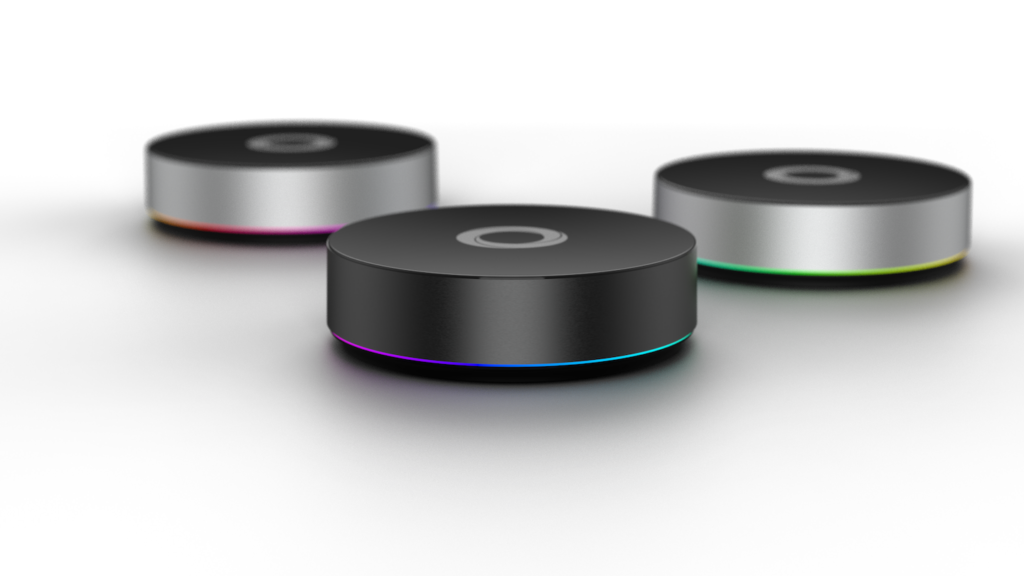
If your smart home is a pile of separate apps, one for the lights, another for the thermostat, a third for the cameras, you already know the problem. Nothing talks to anything else. The fix is a single hub that speaks every language and runs your automations in one place. That is exactly what the Homey Pro is built to do.
Why Homey Pro makes a great brain for your smart home
Most hubs support a handful of brands or protocols. Homey Pro takes the opposite approach: it connects to almost everything, then lets the devices work together.
Wide compatibility
Homey says it works with more than 50,000 products from over 1,000 brands. It does that by supporting eight wireless technologies in one device:
- Matter and Thread, the newer universal standards, with Homey acting as a Matter hub and Thread border router
- Zigbee, common in sensors, bulbs and plugs
- Z-Wave Plus, popular for locks, switches and thermostats
- Wi-Fi and Bluetooth LE, for the many devices that connect that way
- Infrared and 433 MHz radio, so older TVs, fans, blinds and remote-controlled gear can join in
That means you are not locked into one brand. Buy the best device for the job and it will almost certainly work. It also works alongside Amazon Alexa, Google Assistant and Siri if you like voice control.
Devices that cooperate
The real payoff is mixing protocols. With Homey’s Flows, a Zigbee door sensor can turn on a Matter light, a Z-Wave switch can control a Wi-Fi plug, and a motion sensor can trigger a scene across brands that normally never meet. Flows use simple “when, and, then” cards, so you can start easy and get as advanced as you like.
Local control and no subscription
Homey Pro runs your automations inside your home rather than depending on the cloud. Local devices keep working when the internet is down, responses are fast, and your data stays with you. There is no required monthly fee and no limit on the number of devices you connect.
Built to last
The latest model has 4 GB of RAM, and Homey has committed to software updates until at least June 2031. You also get apps for energy monitoring and insights, plus a growing library of official and community apps that add new brands.
How to build your smart home around it
- Start with the hub. Plug in the Homey Pro, connect it to your network (Ethernet is the most stable), and set it up in the Homey app.
- Add what you already own. Pair the lights, plugs and sensors you have today. Homey finds them through its apps and protocols.
- Add a few helpful devices. Motion sensors, door sensors, smart plugs and a smart lock give you the most useful automations for the money.
- Create your first Flows. Try lights on at sunset, a “leaving home” routine, or a notification when a door opens.
- Grow over time. Because it supports so many standards, new devices slot right in without replacing the hub.
A fair note
Homey Pro is aimed at people who want power and flexibility. A few older or unusual devices may show up with limited controls until an app supports them, so check compatibility for anything critical, like a lock or alarm panel, before you buy.
Ready to get started?
If you want one hub that brings every device together, the Homey Pro is a great place to start.
Need a hand setting it up? Stuffworks can install and configure your smart home, in person or remotely. Get in touch and we will get everything working together.
As an Amazon Associate we may earn from qualifying purchases made through links on this page, at no extra cost to you.